Shundle is short for sh bundle and is a sh plugin manager.
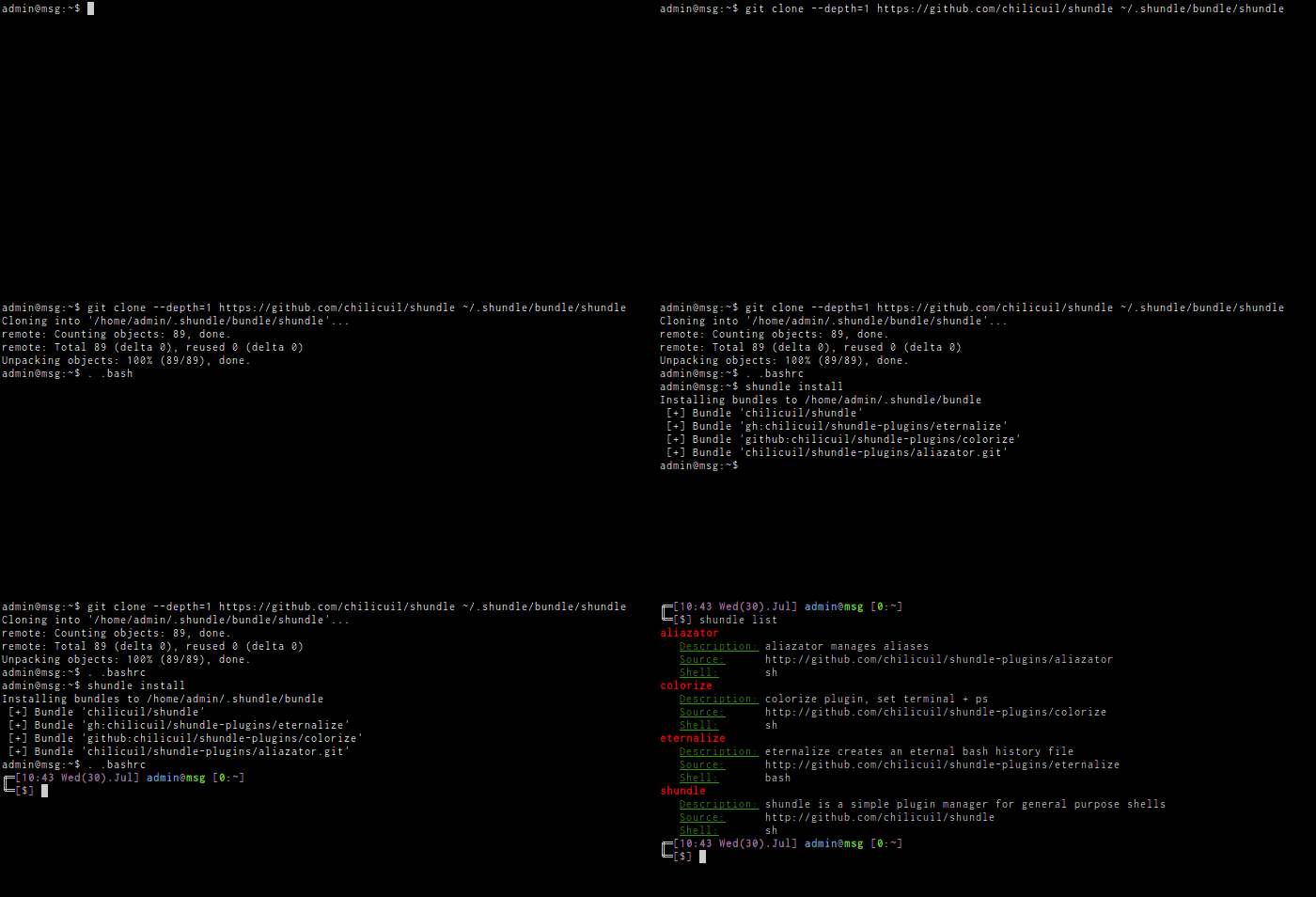
-
Set up Shundle:
$ git clone --depth=1 https://github.com/javier-lopez/shundle ~/.shundle/bundle/shundle -
Configure bundles:
Sample
.bashrc(if not using bash use your shell init profile):if [ -f ~/.shundle/bundle/shundle/shundle ]; then . ~/.shundle/bundle/shundle/shundle #let shundle manage shundle, required! Bundle='javier-lopez/shundle' #options SHUNDLE_ENV_COLOR=1 #from GitHub Bundle='gh:javier-lopez/shundle-plugins/eternalize' Bundle='github:javier-lopez/shundle-plugins/colorize:master' Bundle='github:javier-lopez/shundle-plugins/autocd:f7916' Bundle='https://github.com/javier-lopez/shundle-plugins/aliazator.git' ALIAZATOR_PLUGINS="installed" #run once, after the bundle is cloned or updated Bundle='gh:javier-lopez/shundle-plugins/eternalize' PostInstall='wget -qO- https://github.com/junegunn/fzf/releases/download/v0.74.4/fzf-0.74.4-linux_amd64.tar.gz | tar xz -C ~/.local/bin fzf && chmod +x ~/.local/bin/fzf' #a repository of commands Bundle='gh:javier-lopez/learn' #SHUNDLE_BIN="${HOME}/.bin" #where Expose links their commands Expose="sh/tools" #the whole directory Expose="perl: !simple-cat !simple-grep" #all of it but those Expose="python/tools: mailgun monkey_typewriter" #only those Expose="python/tools: mailgun simple-*" #names and patterns Expose="perl: !simple-*" #patterns exclude too Expose="sh/tools/ports" #a single file #from non GitHub #Bundle='git://git.domain.com/rep.git' #from the web #Bundle='http://domain.com/awesome-script' #from the file system #Bundle='file://path/to/script' fi # Brief help # shundle list [bundle] - all of them, or one in full # shundle install - install configured bundles # shundle update [bundle|script] - everything, or a piece # shundle clean - drop bundles and links the rc file stopped asking for # # run shundle without parameters for more details or see the wiki for FAQ #
-
Install configured bundles:
$ . ~/.bashrc
$ shundle install
$ . ~/.bashrc
Installation requires Git and triggers
git clonefor each configured repo to~/.shundle/bundle/.
If by any reason you dislike Shundle you can uninstall it by removing the top shundle directory:
$ rm -rf ~/.shundle
Please drop me an email with your suggestions or open an issue describing the problems you faced.
Thank you!
- Shundle was developed and tested with Bash 4.2 on Linux
- Shundle will try to run in as many platforms & shells as possible
- Shundle tries to be as KISS as possible
Shundle is a work in progress, so any ideas and patches are appreciated.
- write documentation
- improve install|update visualization
- tests
- improve error handling
- make it rock!