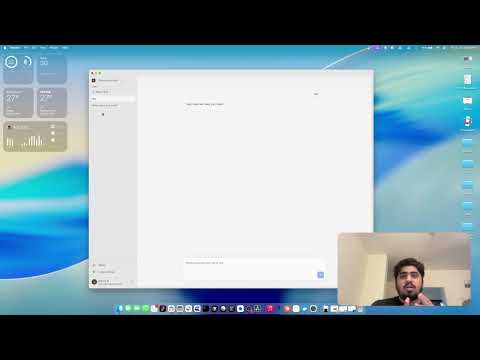
August is an agent orchestrator for business work. It gives people a desktop environment where they can delegate tasks to autonomous agents that operate across local files, connected services, and long-running workflows.
The project asks a simple question: if a coding agent can inspect a system, write and run programs, use tools, and recover from errors, why should that execution model be limited to software development?
Development on August began in 2025, while Claude Code was gaining traction in the developer ecosystem. What interested me was not only its ability to write code, but the more general model underneath it: an agent could use a computer, create small programs, inspect results, and continue working until a task was complete.
That suggested a much broader product. The same pattern could manipulate spreadsheets, work with documents, run multi-step processes, and coordinate the routine operational work that surrounds a business. August was built to explore that idea as a dedicated product rather than as a coding assistant.
In January 2026, a few months after development on August began, Anthropic introduced Claude Cowork, applying Claude Code's execution model to non-coding knowledge work. August was developed independently, but addressed the same core problem earlier: making a capable computer-using agent useful to the rest of a business.
- Persistent task workspaces — create, revisit, and continue agent-driven tasks instead of treating every interaction as an isolated chat
- Local tool execution — let agents search, read, edit, and write files or invoke commands through the desktop runtime
- Permission-aware actions — surface tool requests through the application before sensitive work is executed
- Connected services — expose third-party systems through MCP and Composio so workflows can cross application boundaries
- Streaming agent runtime — process Anthropic streaming events, tool calls, pause/resume turns, and programmatic tool use
- Desktop and web clients — share the product experience across an Electron shell and a browser application
- Live state synchronization — use Rocicorp Zero and a local SQLite cache for responsive, bidirectional task state
                       ┌──────────────────────┐
                       │ React application    │
                       │ tasks + agent state  │
                       └──────────┬───────────┘
                                  │ typed IPC / HTTP
                 ┌────────────────┴────────────────┐
                 │                                 │
        ┌────────▼────────┐               ┌────────▼────────┐
        │ Electron shell  │               │ Express backend │
        │ local runtime   │               │ auth + services │
        └────────┬────────┘               └────────┬────────┘
                 │                                 │
      files, shell tools, MCP          Postgres, Composio, billing
                 │                                 │
                 └────────────────┬────────────────┘
                                  │
                         ┌────────▼────────┐
                         │ Agent harness   │
                         │ model + tools   │
                         └─────────────────┘
The renderer owns product state. The Electron main process exposes stateless, typed capabilities through a preload boundary, which keeps the interface portable while still allowing agents to act on the local computer. The backend coordinates authentication, integrations, persistence, and synchronized task state.
august/
├── apps/
│   ├── shell/          # Electron desktop runtime and local tool execution
│   ├── app/            # Vite + React task interface
│   ├── website/        # Next.js product website
│   ├── server/         # Express API and service integrations
│   ├── db/             # PostgreSQL setup
│   ├── zero-cache/     # Rocicorp Zero synchronization service
│   └── litmus/         # Agent harness test and evaluation client
├── packages/
│   ├── harness/        # Streaming agent loop and MCP integration
│   ├── shell-tools/    # Local search, read, write, edit, and command tools
│   ├── sync/           # Shared database schema, queries, and mutations
│   ├── shared/         # Cross-process types and IPC contracts
│   ├── typescript-config/
│   └── eslint-config/
└── docs/               # Agent loop, shell, application, and IPC design notes
| Area | Implementation |
|---|---|
| Agent runtime | Anthropic streaming API, async-generator event processing, programmatic tool calls, MCP |
| Local execution | Electron main process, typed preload APIs, Bash and filesystem tools |
| Client | React 19, TypeScript, Vite, TanStack Router, Tailwind CSS |
| State sync | Rocicorp Zero, PostgreSQL, Drizzle ORM, local SQLite cache |
| Services | Express, Clerk, Composio, webhooks, billing integrations |
| Build system | npm workspaces and Turborepo |
August is a substantial product prototype, not a hosted service that can currently be reproduced with one command. The agent runtime, local tools, desktop/web surfaces, persistence, and service integrations are present in the repository; running the complete stack requires credentials and local configuration for the external systems below.
- Node.js 22 LTS
- npm 10.9.2
- Docker for PostgreSQL and synchronization services
- Accounts or development credentials for the model, authentication, and integration providers being exercised
git clone https://github.com/Advait1306/august.git
cd august
nvm use
npm install
The main configuration surface includes:
| Component | Configuration |
|---|---|
| App | VITE_SERVER_URL, VITE_ZERO_URL, Clerk publishable settings |
| Shell | VITE_WEB_URL and optional development-tool settings |
| Server | DATABASE_URL, Clerk, Composio, and billing credentials |
| Sync | PostgreSQL connection and Zero service configuration |
Run the monorepo in development mode after configuring the required services:
npm run devOr work on one surface at a time:
npx turbo dev --filter=app
npx turbo dev --filter=shell
npx turbo dev --filter=servernpm run check-types
npm run lint
npm test --workspace=@august/harness
npm test --workspace=@august/shell-tools
npm test --workspace=shellAdditional design details are documented in docs/agent-loop.md, docs/ipc.md, and docs/app.md.
Proprietary — all rights reserved.