- App version: Figma Linux 0.9.4
- The output of
screenfetch:
- Type of installed package (Snap, AppImage, deb, rpm, pacman): deb
Bug description
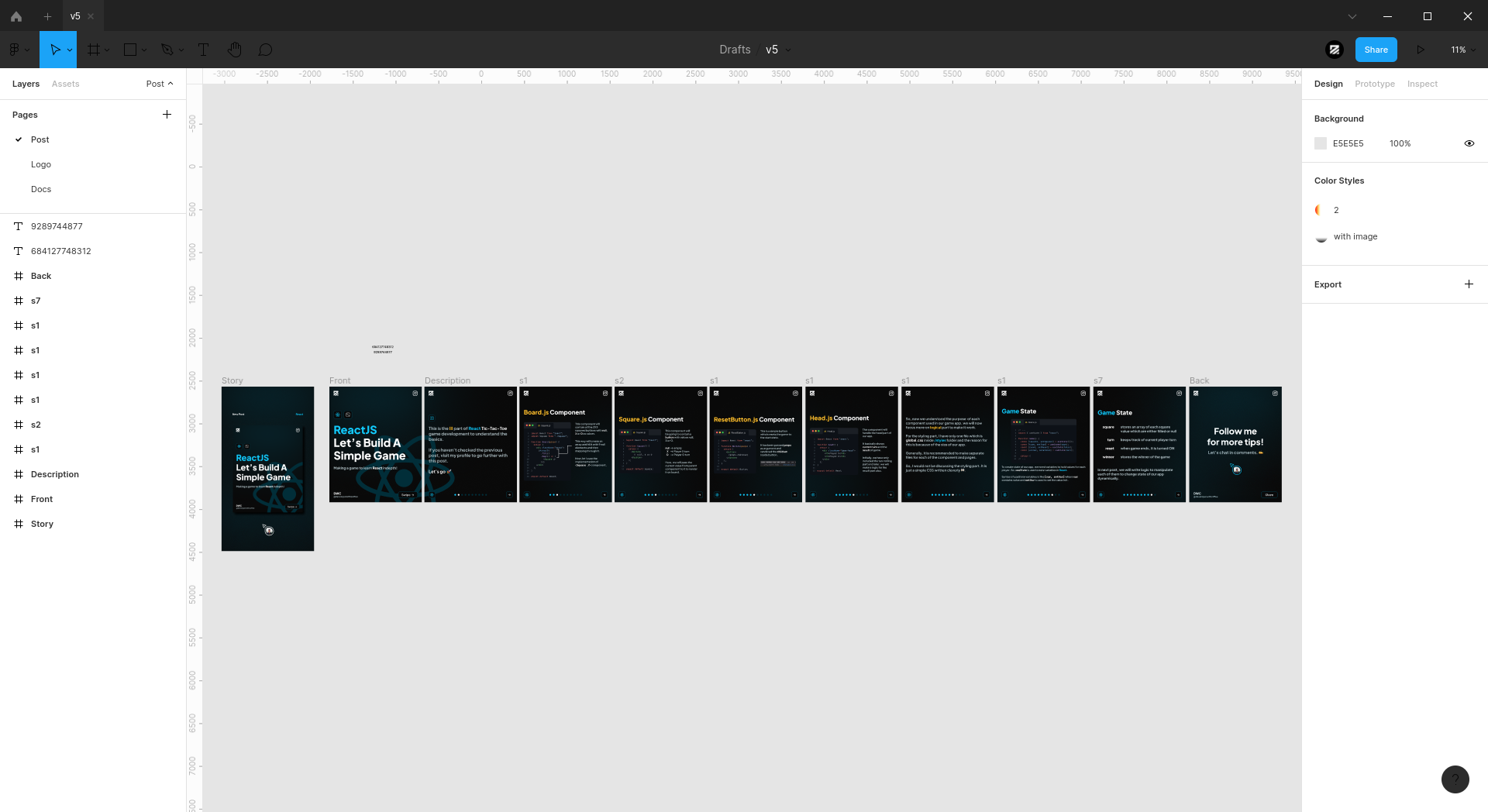
Top navbar editing icons are not visible in default light theme, may be because of the new theme rules.
Also the selected element is not showing blue color in panels so it is becoming hard to say which element is selected.
I have recently installed the updates on 20 Feb, 2022.
Screenshots
Additional context
Thats it! Hopefully you'll figure it out and fix the bug.
screenfetch:Bug description
Top navbar editing icons are not visible in default light theme, may be because of the new theme rules.
Also the selected element is not showing blue color in panels so it is becoming hard to say which element is selected.
I have recently installed the updates on 20 Feb, 2022.
Screenshots

Additional context
Thats it! Hopefully you'll figure it out and fix the bug.