A web based heads up display for servers and websites. Designed by a dev for server admins, website admins, or devs to monitor their services, servers or websites. It is currently only tested on linux, but additional platforms are in the works.
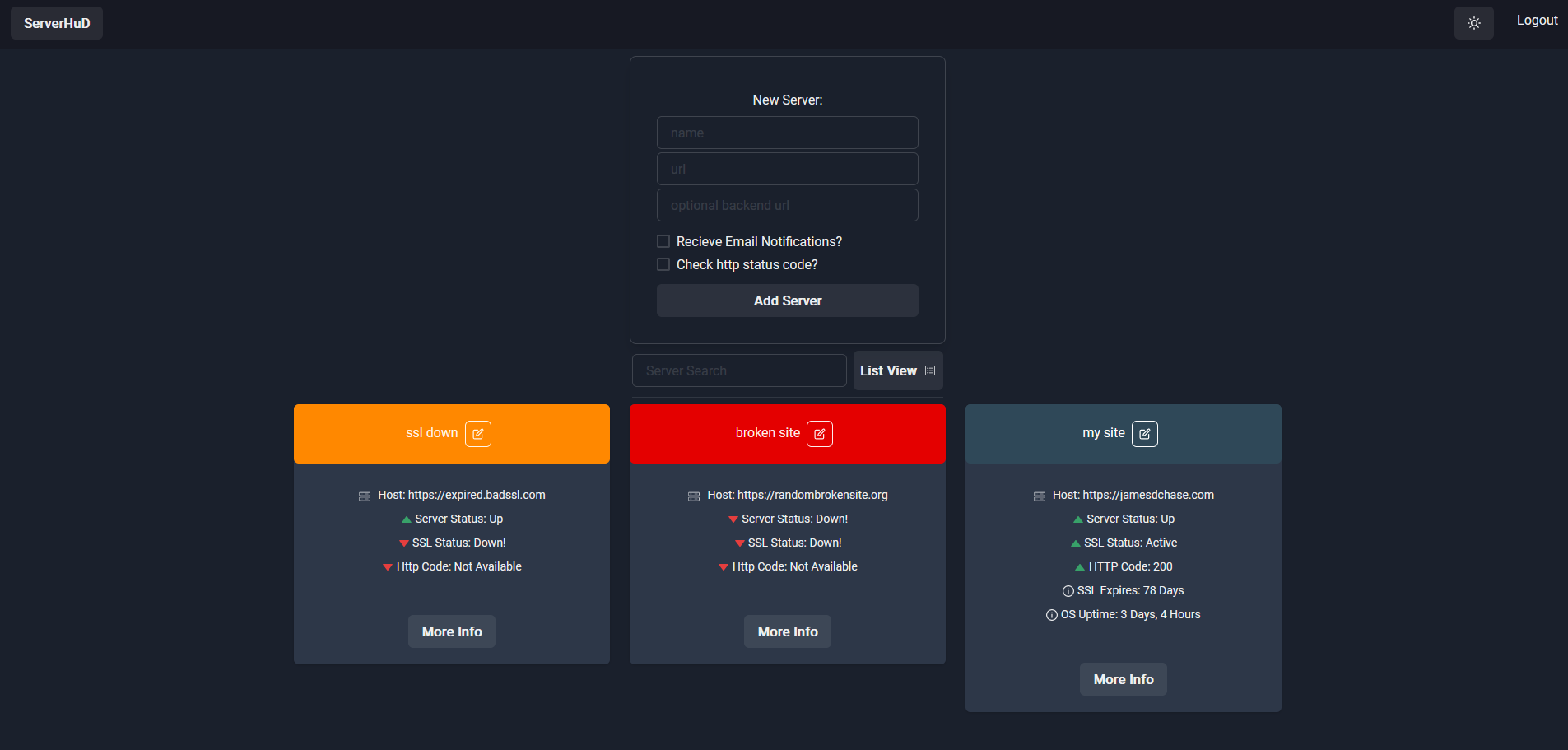
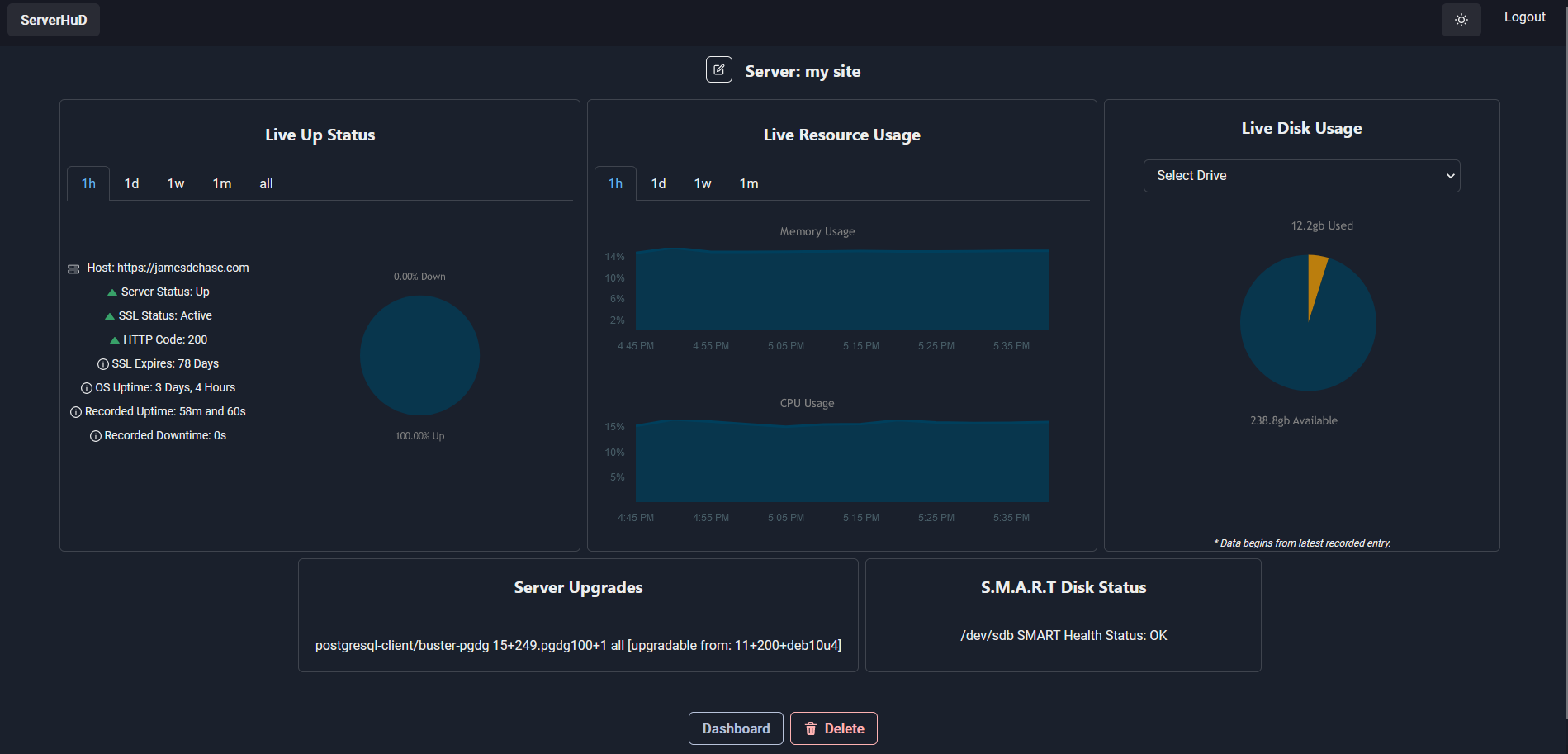
ServerHuD is designed to be as simple to deploy and use as possible, while still supplying the basic features needed to keep tabs on your systems. There are many other ways to monitor services and servers, and we encourage users to pick the best tool for their specific use case.
The advantages of using ServerHuD over other solutions:
- Clean UI
- Great for companies, projects, or home hosting users that just need the monitoring services provided by ServerHuD, and want to avoid software with more overhead.
- Easy to deploy with docker or your own linux host.
- Uses a stable software stack that can be modified or extended as needed.
- Server status (if the server is reachable or not)
- SSL Status
- Days remaining until SSL expires.
- http code (200, 500, etc)
- Recorded Uptime
- Recorded Downtime
- Memory usage over time
- CPU usage over time
- Disk Usage for multiple drives
- Available upgrades (so far, just for apt based systems, more planned)
- S.M.A.R.T Disk Status
Some extension server features require you to run it as root.
In order to use serverHuD, there are two required components and one optional component.
- The Client: The web based UI.
- The Server: Database, busines logic, etc.
- Optional extension server: Installed on the server or service you are monitoring to provide additional details.
If you'd like to run your own serverHuD instance:
Installation guide for the server: Backend Installation Guide
For the Client:
- Install node.
- Copy the .env_example file to .env for the front and fill in the backend IP or URL.
- Then run in the client directory:
cd client && npm inode .
If you want to use the extension server for additional data, you'll need Go installed on your server. Then simply run the go server (preferably with root) and change the .env on the backend to use the address you configure for that server. You'll need to point your web server (nginx, apache, whatever) to the server so it's accessible. Highly recommend using a https connection for security.
(Installation guide for the client, and extension server, coming soon.)
- Front End: React, Chakra UI, Axios
- Back End: TimescaleDB, sequelize-typescript, NodeJS, KoA
- Others: JWT, Socket.IO
Pull requests are welcome. For major changes, please open an issue first to discuss what you would like to change.
Please see the serverHuD improvement project to see planned changes:
https://github.com/users/Jchase2/projects/1/views/1