
Automatically mount, reconnect, and manage SMB/WebDAV network drives – directly from your macOS menu bar.
Version 1.2 – developed by Kevin Tobler 🌐 www.kevintobler.ch
- 1.2
- 🌐 Added WebDAV support alongside SMB
- 🔐 WebDAV supports HTTP/HTTPS selection with automatic default ports
- 🔌 Added configurable WebDAV port field for custom NAS/server setups
- 🧭 WebDAV host handling supports plain hosts like
server.local - 🔁 WebDAV connections use the same preflight, mount verification, disconnect, and auto-reconnect flow as SMB
- 🧰 Improved menu bar icon fallback for menu bar manager compatibility
- 1.1
- 🔧 Reworked mount pipeline for higher reliability (clean preflight -> mount -> verify flow)
- ⏱ Finder mount now runs with hard timeout handling to prevent hanging mount jobs
- 🧵 Mount attempts are processed sequentially to avoid race conditions between parallel connects
- 🌐 Improved host resolution with stable SMB reachability checks and Bonjour/local fallback logic
- 🔁 Added extra retry passes after a failed/disconnected attempt for better wake/reconnect behavior
- 🛑 Manual disconnect now cancels pending retry/mount flow for that share more consistently
- 🙈 No more Finder error popups on mount timeout (timeouts are handled silently in-app)
- 1.0
- 💾 Auto-mount saved network shares at login
- 🔁 Auto-Reconnect after connection loss or sleep/wake events
- 🖥️ Modern SwiftUI menu bar interface with status indicators
- 🧭 Protocol support: SMB
- ⚙️ Secure Keychain storage for credentials
- 🧠 Auto-Reconnect on network loss or after system sleep
- 🔒 Keychain Integration – credentials are stored securely
- 🌐 SMB + WebDAV Support – mount classic SMB shares and WebDAV targets
- 🔐 HTTP/HTTPS WebDAV Options – choose scheme and custom port per connection
- 💡 Status Monitoring – shows mount state in the menu bar
- 💾 Auto-Mount at Login – keep all shares ready automatically
- 🧩 SwiftUI Interface optimized for macOS Sonoma 14.6+
- 🌙 Sleep/Wake Detection for stable mounts
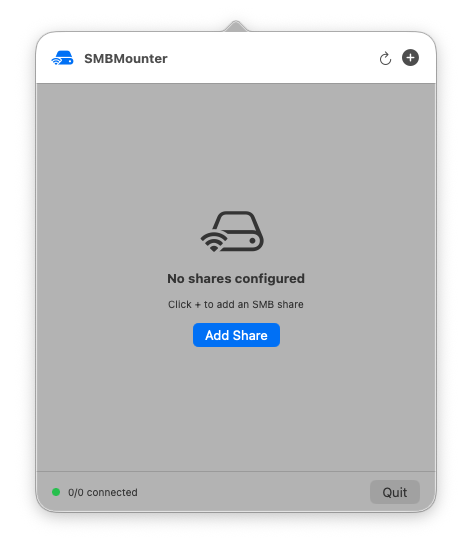
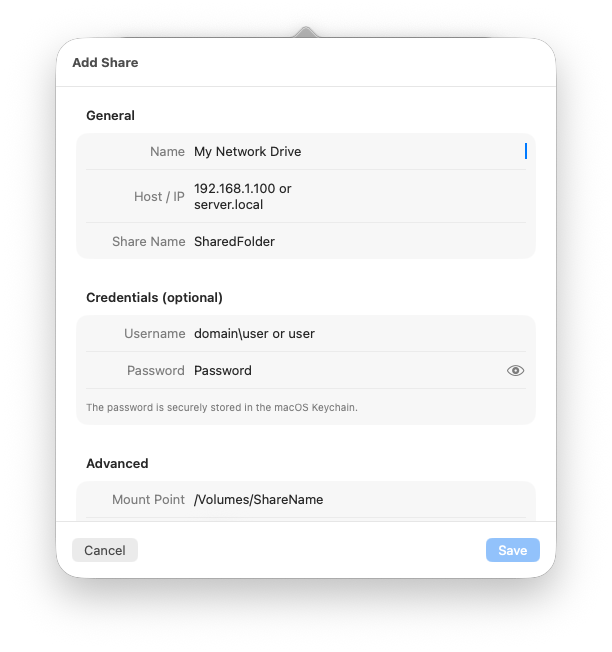
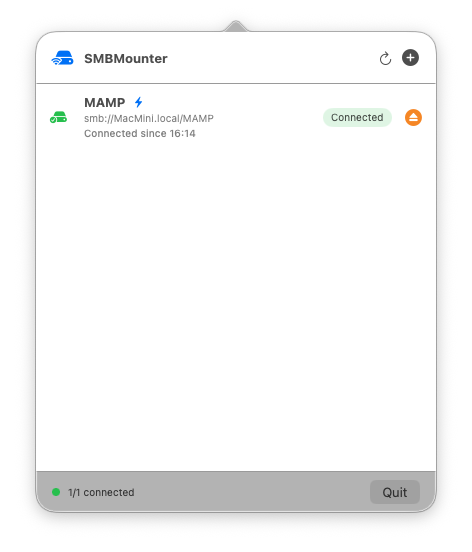
- Add your network targets (SMB or WebDAV)
- Credentials are stored securely in the macOS Keychain
- The menu bar shows live status for all connections
- Download the latest SMBMounter.app release
- Move SMBMounter.app to your Applications folder
- Launch the app
- Add your network drives and credentials
- Done — your shares will mount automatically!
🧱 Requires macOS 14.6 Sonoma or newer
Kevin Tobler
🌐 www.kevintobler.ch
This project is licensed under the MIT License – feel free to use, modify, and distribute.