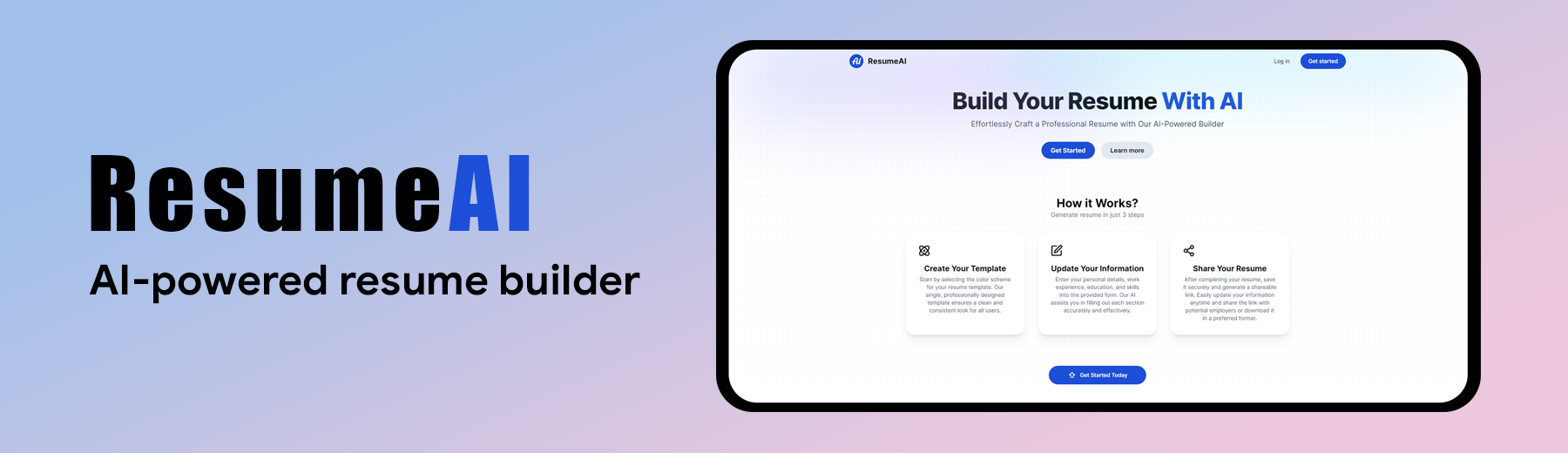


➥ Visit ResumeAI App
- AI-Generated Content: Generate professional summaries, work experience descriptions, and education descriptions with Gemini AI — each with multiple suggestions at different experience levels to pick from.
- One-Click Apply: Click any AI suggestion to drop it straight into the form.
- Multiple Templates: Choose from a growing collection of professionally designed templates (Classic, Modern, Elegant, Minimal, Sidebar, Executive, Compact, Bold) — each with a live layout thumbnail in the picker.
- Theme Colors: 14 curated preset colors plus a custom color picker for any brand color you want.
- Date Formats: 15 date formats covering global conventions — month-year, US, UK/EU, German dotted, ISO, and East Asian styles.
- Live Preview: Side-by-side editor and preview with instant updates as you type, scaled to fit any screen size.
- Drag-and-Drop Reordering: Rearrange experience, education, skills, and custom sections by dragging them directly in the preview. Order is saved automatically.
- Hideable Sections: Hide any built-in section (summary, experience, education, skills) without losing its data.
- Custom Sections: Add your own sections — certifications, projects, languages, anything — with full rich-text support.
- Skills, Two Ways: Show skills as rating bars, or as an ATS-friendly plain list with optional groups (Backend, Frontend, Tools, ...).
- ATS-Friendly PDF Export: Download a real vector-text PDF via native print — selectable, parseable text with no non-breaking-space artifacts.
- Shareable Links: Every resume gets a clean
/resume/<id>URL. Resumes are private by default with an opt-in public toggle; old link formats redirect permanently. - Web Share: Share your resume URL through the native share sheet.
- Live Card Previews: Every resume card renders a mini preview of its actual template, theme color, name, and job title — no two cards look the same.
- Newest First: Recently created resumes appear at the front.
- Quick Actions: Edit, view, or delete any resume from its card menu.
- User Authentication: Secure login and registration with NextAuth (Google OAuth + email/password), with brute-force rate limiting (relaxed automatically in development).
- Email Verification: New email/password accounts confirm ownership via a one-time link before sign-in. Unverified sign-ins are routed to a "check your email" page that re-sends the link — never a dead end.
- Password Management: Change or set a password from the user menu (current password required), plus a full forgot-password / reset flow over email.
- Safe Account Linking: Google and email/password sign-ins share one identity per email. Any password set before an email is first verified is dropped on link, preventing account pre-hijacking.
- Hardened Auth: bcrypt cost-12 hashing, constant-time login (no user-enumeration timing oracle), single-use SHA-256-hashed email tokens with TTL expiry, and enumeration-safe responses.
- Ownership & Input Safety: Server-side ownership verification on every mutation (private resumes unreadable by non-owners), Zod validation on all server actions, field whitelisting against mass assignment, and prompt-injection-hardened AI calls.
- Modern SaaS UI: Glassmorphism, gradient accents, layered shadows, and a fully responsive mobile-first layout.
- Fluid Animations: Framer Motion page transitions, staggered lists, micro-interactions, and scroll reveals throughout.
-
Framework: Next.js (App Router)
-
Language: TypeScript
-
Authentication: NextAuth (Auth.js v5)
-
Email: Nodemailer (SMTP)
-
AI Integration: Gemini API
-
Styling: Tailwind CSS
-
Animations: Framer Motion
-
Forms & Validation: React Hook Form + Zod
-
Rich Text: Quill
-
Database: MongoDB + Mongoose
-
Testing: Vitest
Follow these steps to set up the project locally on your machine.
Make sure you have the following installed on your machine:
git clone https://github.com/Mahmud0808/ResumeAI.git
cd ResumeAIInstall the project dependencies using npm:
npm installCreate a new file named .env.local in the root of your project and add the following content:
# Generate with: npx auth secret
AUTH_SECRET=

# Google Cloud Console -> Credentials -> OAuth client
AUTH_GOOGLE_ID=
AUTH_GOOGLE_SECRET=

MONGODB_URL=

GEMINI_API_KEY=

# Email (SMTP) — verification + password-reset links. Use a DEDICATED mailbox
# (e.g. a Gmail made for the app) so your personal address is never exposed.
# Free, no custom domain needed:
#   Gmail : smtp.gmail.com : 587  (SMTP_PASS = a Google App Password)
#   Brevo : smtp-relay.brevo.com : 587
# If left blank, emails are skipped and the link is logged to the server console.
SMTP_HOST=
SMTP_PORT=587
SMTP_USER=
SMTP_PASS=
SMTP_FROM=ResumeAI <resumeai.mailer@gmail.com>

BASE_URL=localhost:3000
Replace the placeholder values with your actual credentials. You can obtain these by signing up at Google Cloud Console (OAuth), MongoDB and Google AI Studio. For email, create a dedicated mailbox and generate an App Password (Gmail) or use any SMTP provider. See docs/AUTH_SETUP.md for the full auth setup.
npm run devOpen http://localhost:3000 in your browser to view the project.
npm testnpm run buildContributions are welcome! Here's how you can contribute:
- Fork the repository.
- Create your feature branch (
git checkout -b feature/AmazingFeature). - Commit your changes (
git commit -m 'Add some AmazingFeature'). - Push to the branch (
git push origin feature/AmazingFeature). - Open a pull request.
Authentication has been migrated from Clerk to NextAuth, removing the previous 500-user cap — registrations are no longer limited. You can use the live app, or fork the repository, set up the environment variables, and run it locally.
Wanna reach out to me? DM me at 👇
Email: mahmudul15-13791@diu.edu.bd