Repository navigation
Home
Here you will learn about the api and its different methods
You must register the api in your own plugin on enable otherwise the plugin wont work.
API::register($this); // $this being your plugin instanceYou must define a title for your form, not doing this will result in a cilent side error.
API::getServerSettings()->setTitle(string $title); Icon is the icon that is displayed on the phisical button, it can either be a texture path, or a url
// Icon type can be accessed from constants in the ServerSettings class
// E.G. ServerSettings::TYPE_PATH or ServerSettings::TYPE_URL
// Icon data is the actual string of the url or texture path
API::getServerSettings()->setIcon(int $iconType, string $data);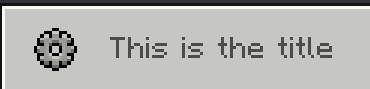
Lables are just plain text for the user to read
API::getServerSettings()->addLabel(string $text);
Inputs are plaintext fields for the player to input
API::getServerSettings()->addInput(string $title, string $placeholder, string $default);
Toggles are on/off switches for the player to toggle
API::getServerSettings()->addToggle(string $text, bool $default);
Sliders are a way for the user to input integer data between to values Step being the devision between the inputed values
API::getServerSettings()->addSlider($text, int $min, int $max, int $step, int $default);
Stepped sliders are a way for users to choose between multiple set values in a slider
API::getServerSettings()->addStepSlider(string $text, array $options, int $defaultIndex);
Dropdowns are a way for players to choose between multiple set values using a list
API::getServerSettings()->addDropdown(string $text, array $options, array $defaultIndex);
Data is presented in an array that is ordered in the order that you set every field
API::getServerSettings()->addToggle(string $text, bool $default);

API::getServerSettings()->setCallable(function (Player $player, array $data = null) : void {
    if ($data == null) return;
    $value1 = $data[0]; // Would return a true false value from the toggle
});