#Setup Instruction
- Install docker.io and docker-compose [apt install docker.io docker-compose (for debian)]
- git clone https://github.com/bng0/WebMon.git
- cd WebMon
- sh run.sh - WebMon will be up and running!!
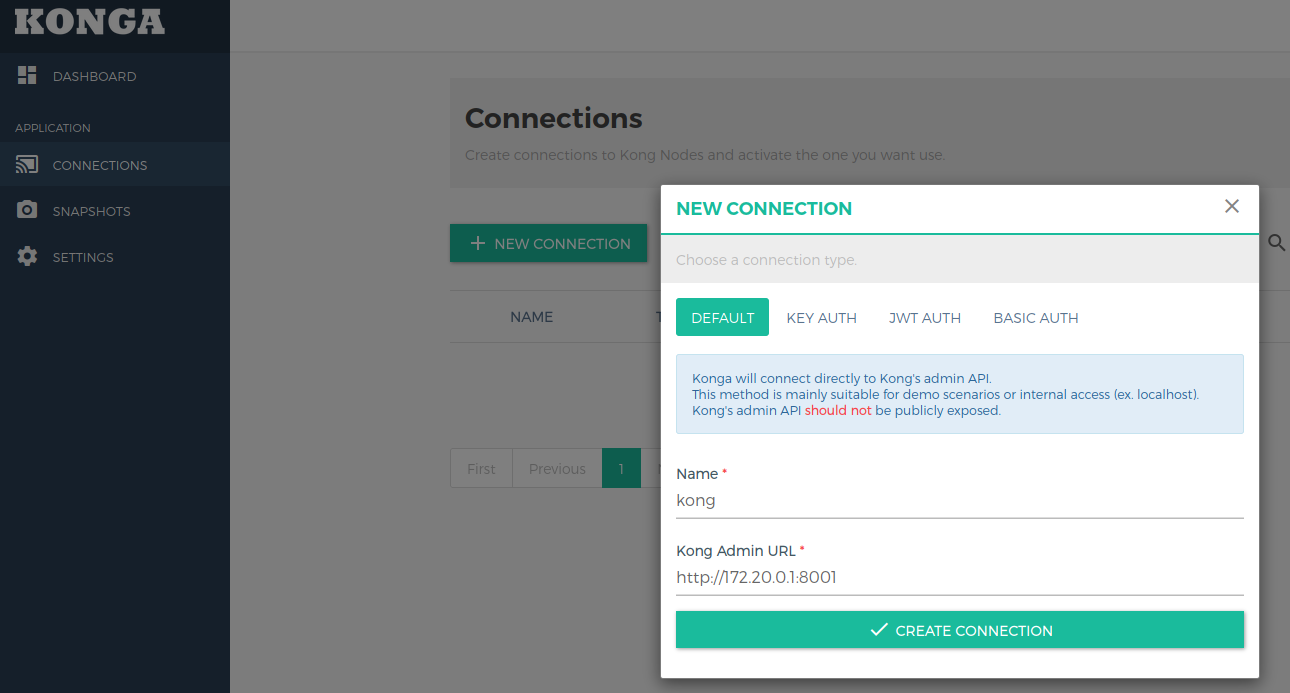
- Setup connection to kong for Konga GUI (http://172.20.0.1:1337).
- Setup services & routes for backend using Konga GUI.
- Start and Stop services using mon_start and mon_stop.
The core components of the setup consists of: Modsecurity WAF, L7 routing gateway, Konga GUI for kong administration and ELK stack for log processing, visualization & storage and filebeats for log shipping.
Traffic flow:
- Modsecurity receives HTTP(s) request and analyzes data sent using OWASP's core rule set and then forwards the traffic to the kong gateway.
- Kong checks for the match condition to route the traffic to the respective backend and logs the request and response data.
- Modsecurity logs request and response if any anomalies occured.
- Logs are shipped to logstash using filebeat.
- Logstash processes logs from modsecurity and kong gateway and creates indices to store them in elasticsearch.
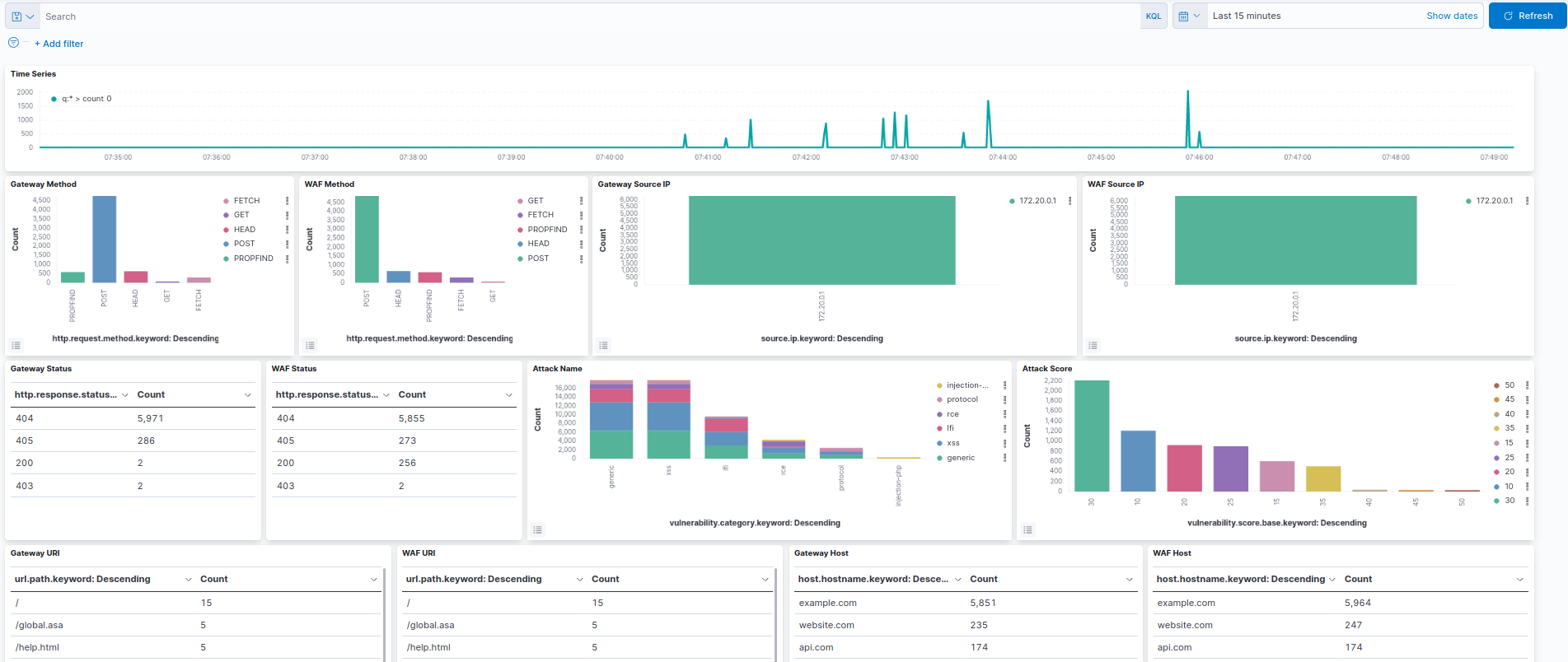
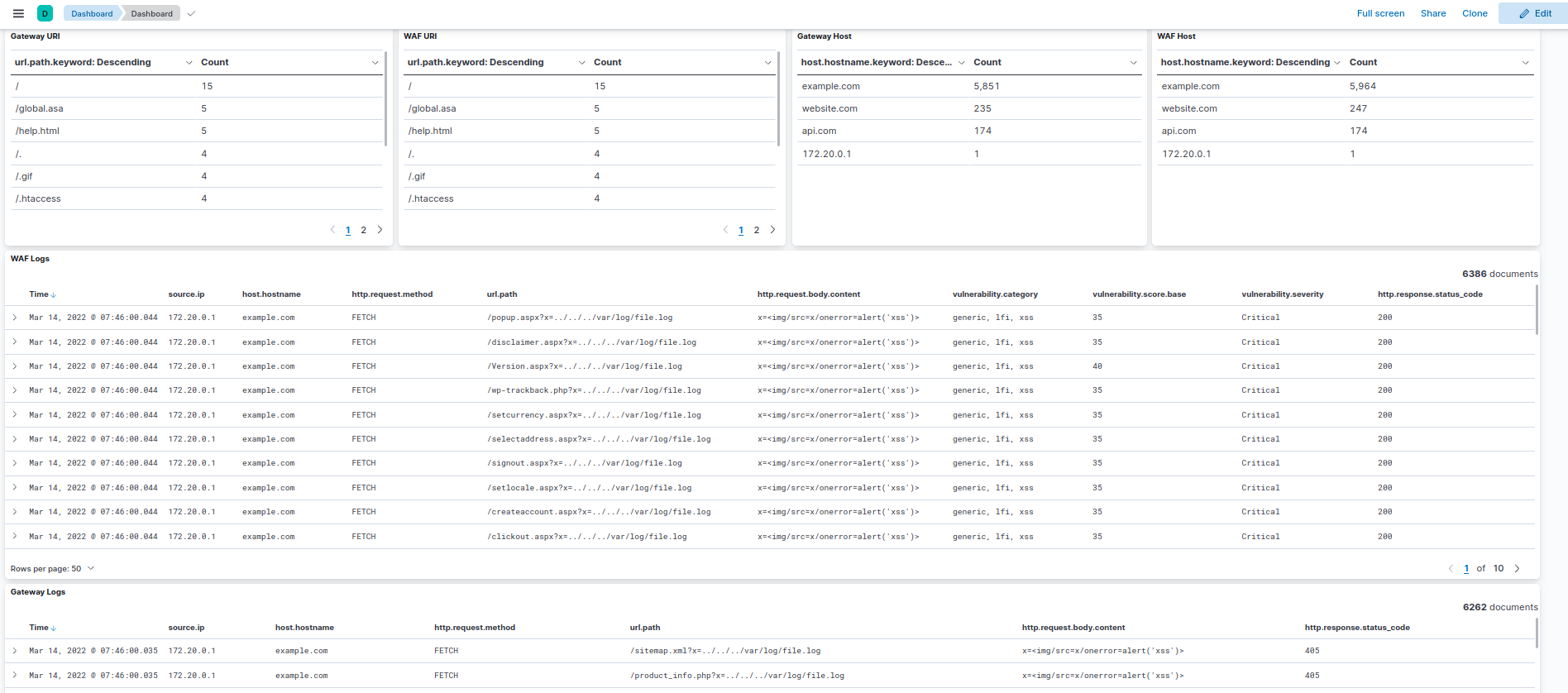
- Kibana is used to visualize logs stored in elasticsearch.
Konga Connection
Dashboard