CSV to Snowflake in 3 steps and 3 seconds
This program will let you load any csv file from your computer to Snowflake. It is super easy to use, no coding knowledge is required. It is very fast, you have the option to split the csv to load billions of rows in seconds.
This tool is intended for whoever wants to load csv to snowflake very easilly and without purchasing a specialized software.
Data is loaded as Staging Data (raw data), use another ETL tool such as DBT to build the final business objects in Snowflake.
You can reload multiple time the same file, there will be no duplication of data. After the initial load you will no longer need to keep the 3 create options checked.
How to use
Install PowerAutomate Desktop Install SnowSQL (cli for snowflake) Edit the config file to connect to your instance of snowflake
Create a power Automate desktop flow called csvToSnowflake Copy paste the code of the Main file to the Main flow Copy paste code to designer area will rebuild the graphical flow for you, you should now see this instead of the code.
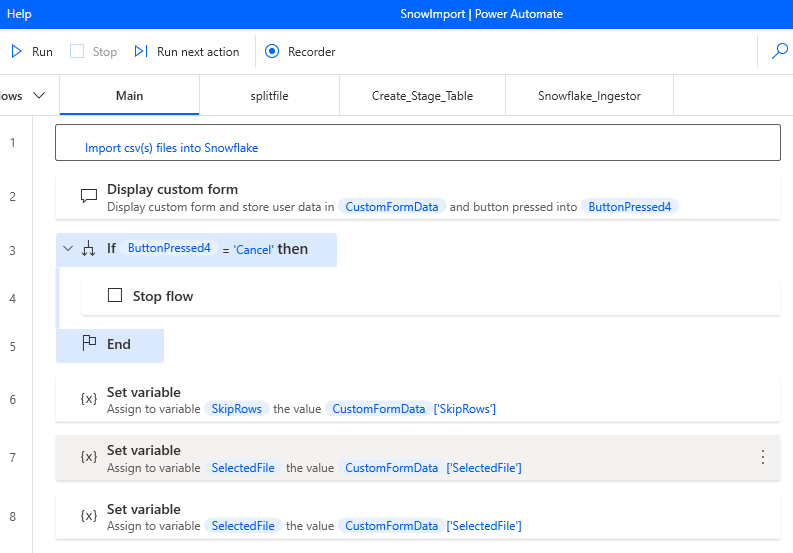
Create 3 sub-flows called splitfile, Create_Stage_Table and Snowflake_Ingestor Copy paste the code from the text files to the sub-flow design areas
Add a few CSV files to the folder of your choice.
You can now use your flow to load any csv file to snowflake. You just have to run the flow, fill the initial dialog, and relax.

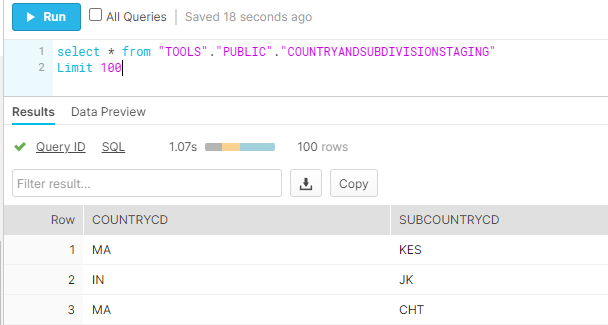
Then you can verify that the data has been imported into snowflake.